OpenAI's Codex Adds Appshots for Direct Screen‑Sharing AI Assistance
OpenAI's Codex introduces Appshots, a screen‑sharing feature that lets the AI read emails, interpret Figma designs, and automate tasks like calendar updates.
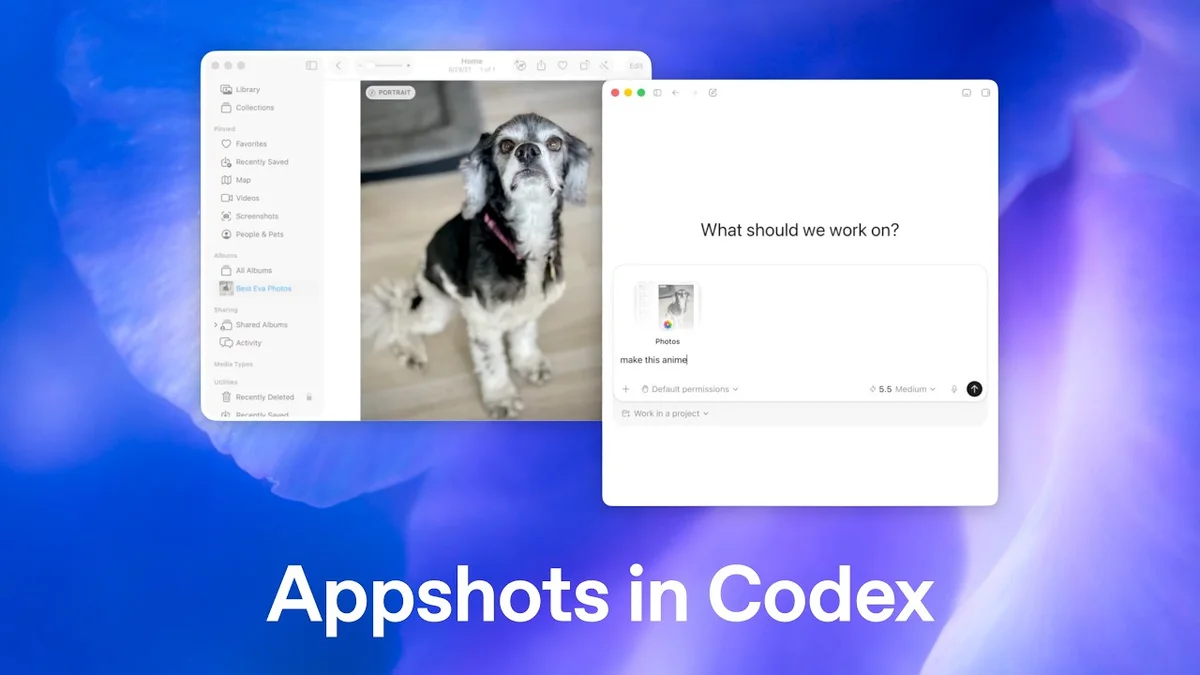
OpenAI's Codex Introduces Appshots for Seamless AI Integration
TL;DR: OpenAI's Codex now lets users share their screen with the AI through a feature called Appshots, enabling the model to read emails, interpret Figma designs, and perform actions like calendar updates or press‑release generation.
Context: OpenAI's Codex, the AI model that translates natural language into code, has introduced Appshots to stream a user's desktop view directly to the system. By seeing what is on the screen, Codex can act on visual information without requiring users to copy‑paste text or describe layouts. This tightens the loop between human workflow and AI assistance. Early demonstrations show the feature working with email clients, design tools, and office suites. The update builds on Codex’s existing ability to generate code from natural language prompts.
Key Facts: When a user shares an email containing event details, Appshots lets Codex parse the message and automatically create a calendar entry. The AI extracts date, time, and location fields and adds them to the user's preferred calendar app. In a demo, a meeting invitation from Outlook was turned into a Google Calendar event with a single click. Sharing a Figma mockup enables Codex to generate a press release that summarizes the design’s purpose and key features. The model reads layout elements, text layers, and branding cues to produce a ready‑to‑publish summary. Testers reported that the generated release required minimal editing before distribution. The feature works with any application window, so users can point Codex at spreadsheets, slides, or photos and ask for specific transformations. In tests, Codex turned a budget table into a formatted report and a product photo into a social‑media graphic. Users also asked Codex to annotate a screenshot with arrows and notes for team feedback.
What It Means: Appshots moves Codex from a text‑only partner to a context‑aware collaborator that can intervene in real‑time tasks. For professionals, this could reduce manual data entry and speed up content creation. For developers, it opens a path to build plugins that trigger AI actions based on screen changes, potentially automating routine workflows. Privacy remains a consideration, as the AI gains temporary access to on‑screen data, prompting calls for clear user controls. Overall, the update signals a shift toward AI that perceives and acts within the user's visual environment rather than relying solely on typed prompts. Analysts suggest that such screen‑aware capabilities could become a standard expectation for future AI assistants.
What to watch next: Look for expansions of Appshots to mobile platforms, API releases for third‑party apps, and user‑controlled data‑sharing settings.
Continue reading
More in this thread
Conversation
Reader notes
Loading comments...